What it does
Six things, done properly, rather than forty half-finished.
Selling
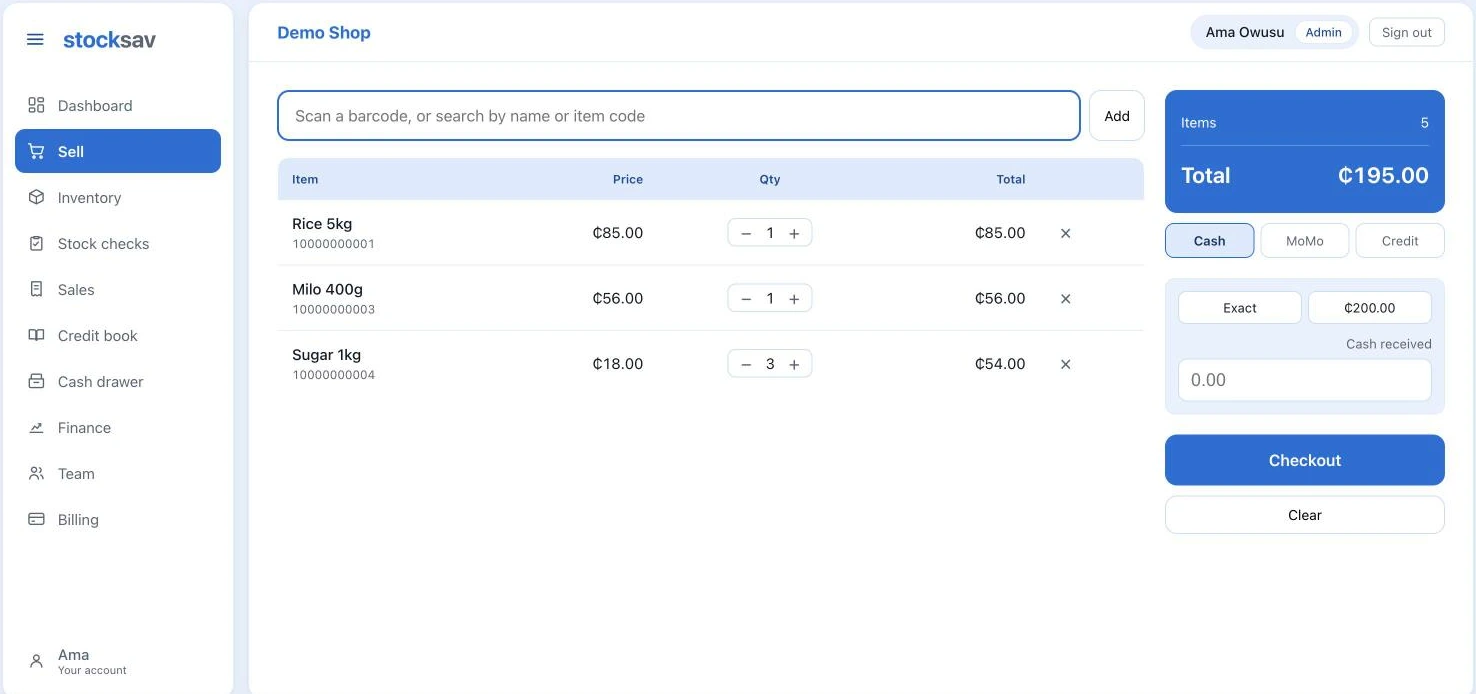
Scan or type an item code, adjust quantities, take payment, print. The scanner works anywhere on the screen without clicking into a box first, and quantities are capped at what is actually in stock so you find out before the customer does.
Working offline
When the connection goes, selling continues. Each sale is queued locally with a final invoice number drawn from a block reserved in advance, then synced automatically. A sale cannot be recorded twice, however many times the till retries.
Stock
Every movement is recorded — restocks, sales, corrections — so the number on screen can always be explained. Items below their reorder level are flagged on the dashboard before you run out.
Cost and profit
Each restock records what you paid, and the item cost becomes a weighted average across what is on the shelf. That cost is frozen onto every sale, so changing a price next month never rewrites last month.
Profit and loss
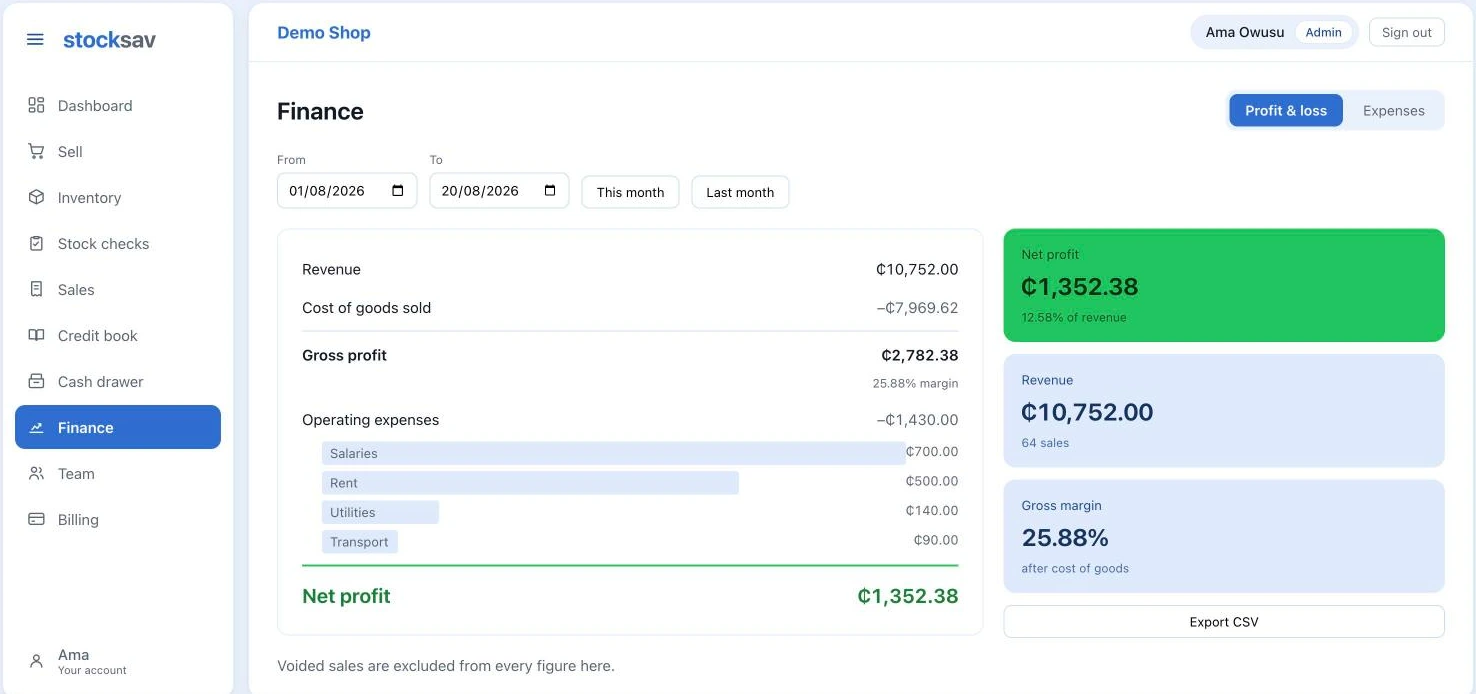
Revenue, cost of goods, gross margin, expenses by category, net profit. Log rent and salaries against the month they belong to, not the day you got round to typing them in.
Staff
Invite people by email; they choose their own password on first sign-in, so you never know it. Cashiers can sell and see stock levels. What you paid for things stays yours.
The two screens you will use most
Works with what is on your counter
No new hardware. If you have it, it works.
Neither is required. A phone and the app are enough to open the shop, and a damaged label can always be typed in by hand.